In this article
- What you’ll need before you start
- Step 1: Add your clothes to a digital wardrobe
- Step 2: Organize by category, color and occasion
- Step 3: Tell your AI stylist what you have planned
- Step 4: Try the outfit on virtually
- Step 5: Put your outfits on the calendar
- Step 6: Plan a trip and build a packing list
- Step 7: Log what you wear and review cost per wear
- Example: a week of outfits planned with AI
- 5 mistakes to avoid when planning outfits with AI
- How long does it take? A 10-minute Sunday routine
- Frequently asked questions
Quick answer
How do I plan outfits with AI?
Add photos of your clothes to a digital wardrobe, then ask an AI stylist for outfit ideas for your plans. Preview the best looks with virtual try-on, save them to an outfit calendar and log what you wear. In Outfitual, the whole routine takes about 20 minutes to set up and 10 minutes a week after that.
Every morning starts with the same question: what am I wearing today? Answering it on the spot, half awake and running late, is how we end up in the same three outfits. Researchers even have a name for the drained feeling that comes from making choice after choice: decision fatigue (opens in a new tab).
Planning your outfits ahead fixes that, and AI makes it far quicker than a notebook or a messy camera roll. In this guide, we’ll walk through exactly how to plan outfits with AI using Outfitual, from photographing your first sweater to packing for a weekend away. No fashion expertise needed.
What you’ll need before you start
- Your phone with Outfitual installed on iPhone or Android.
- 10 to 15 favorite pieces to begin with. You don’t need your whole wardrobe on day one.
- A clear, full-length photo of yourself if you want to use virtual try-on.
- Your plans for the week: work days, dinners, workouts or travel.
Step 1: Add your clothes to a digital wardrobe
Your digital wardrobe is the foundation, because an AI stylist can only style what it knows you own. Open the Wardrobe tab and add a piece from a photo, a product shot or a screenshot. If a photo shows a whole outfit, crop it to the one garment you want to save.
How to photograph clothes for your digital wardrobe
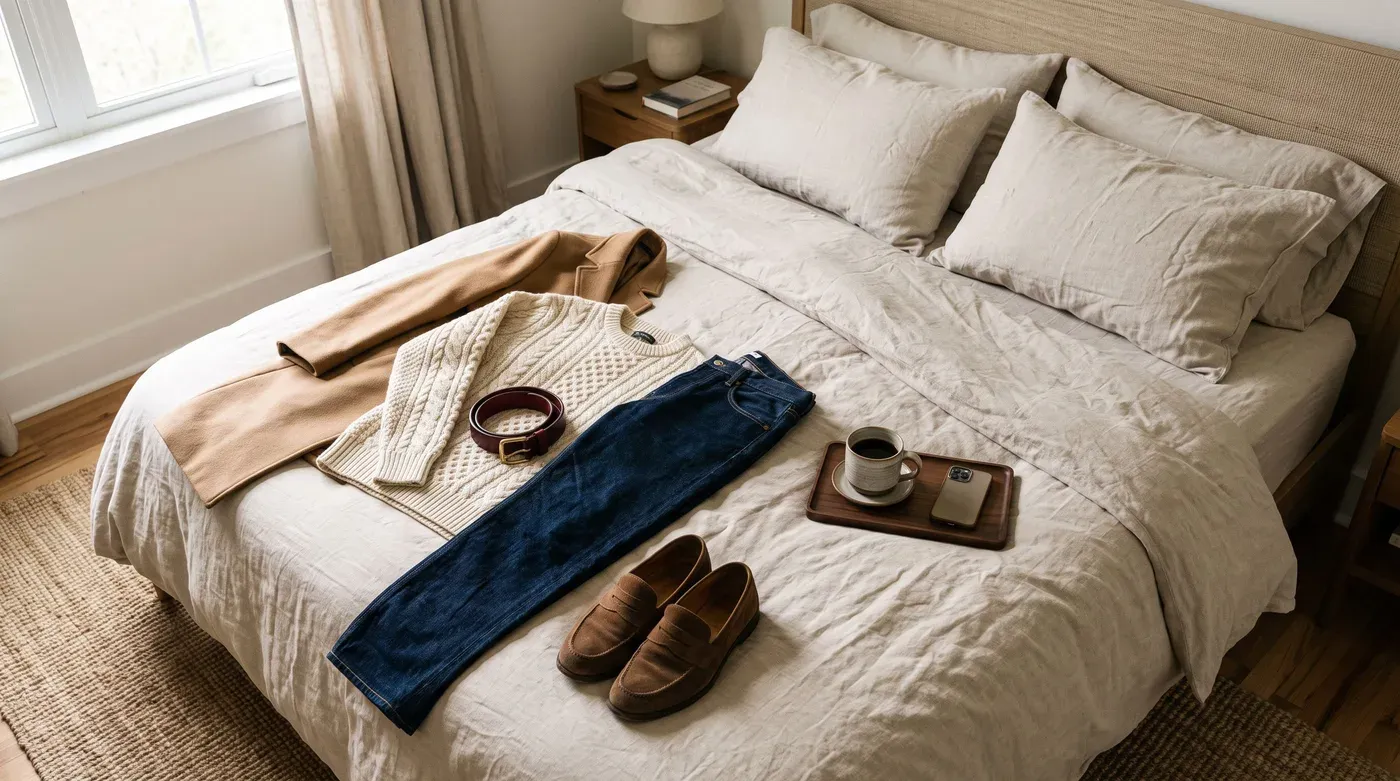
- Lay each piece flat on a plain floor, bed or wall.
- Shoot in soft daylight near a window, without flash.
- Smooth out wrinkles and fold the sleeves neatly.
- Fill most of the frame with the garment.

On a compatible iPhone, you can save time by letting Outfitual scan the photos you choose for clothing you’ve already worn. Extraction happens on your device, and you review, refine and approve each piece before anything is saved.
Step 2: Organize by category, color and occasion
When you add a piece, give it a clear name, a category and a color. Add the brand, price and a note if you like. Notes such as “too warm for the office” or “goes with everything” make suggestions smarter, and prices unlock cost-per-wear insights later.
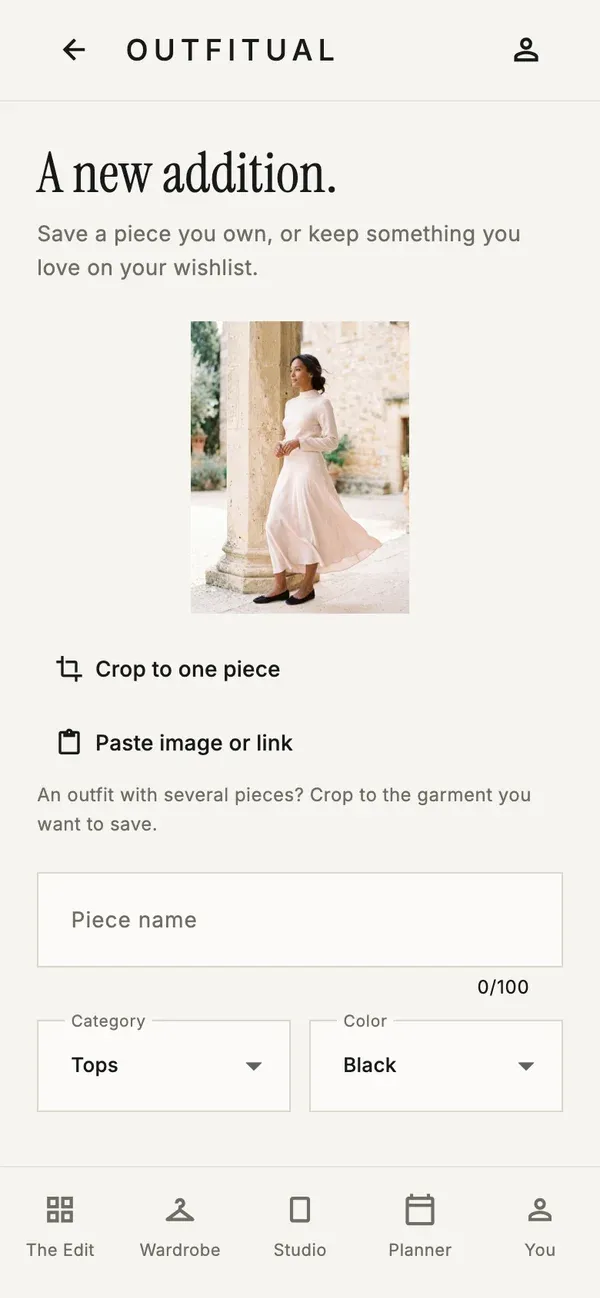
Things you love but don’t own yet belong in your wishlist, so they never mix with real outfit suggestions.
Step 3: Tell your AI stylist what you have planned
This is where planning becomes fun. Open your AI stylist and describe the week the way you’d tell a friend. The more context you give, the better the ideas. Try prompts like these:
- “I have three office days and a birthday dinner on Friday. What should I wear?”
- “Build an outfit around my olive trousers for a rainy day.”
- “Something relaxed but polished for a first date.”
- “What colors go with my burgundy sweater?”
Your stylist builds suggestions from pieces in your wardrobe, so every idea is something you can put on tomorrow. Ask follow-up questions, swap a piece or request constructive feedback on an outfit you’ve already put together.
Details make a big difference. Mention the weather, the dress code and how you want to feel, whether that’s comfortable, confident or a little dressed up. “Smart casual, 12°C and drizzly, I’ll be walking a lot” gets a far more useful answer than “work outfit.”
Stylist tip
Not sure what suits you? Ask for a personal color palette. It’s a great shortcut for choosing combinations, and our personal style guide explains the basics.
Step 4: Try the outfit on virtually
Before you commit to a look, preview it. In the Studio, choose your photo and the pieces you want to combine, whether that’s a whole outfit or a single jacket. Outfitual generates an AI try-on image that you can compare with your original photo and save.
Tips for the best try-on photo
- Stand straight, facing the camera, arms relaxed.
- Keep your whole body in the frame, from head to shoes.
- Wear fitted, simple clothes and use soft, even light.
- Choose a plain background without clutter.
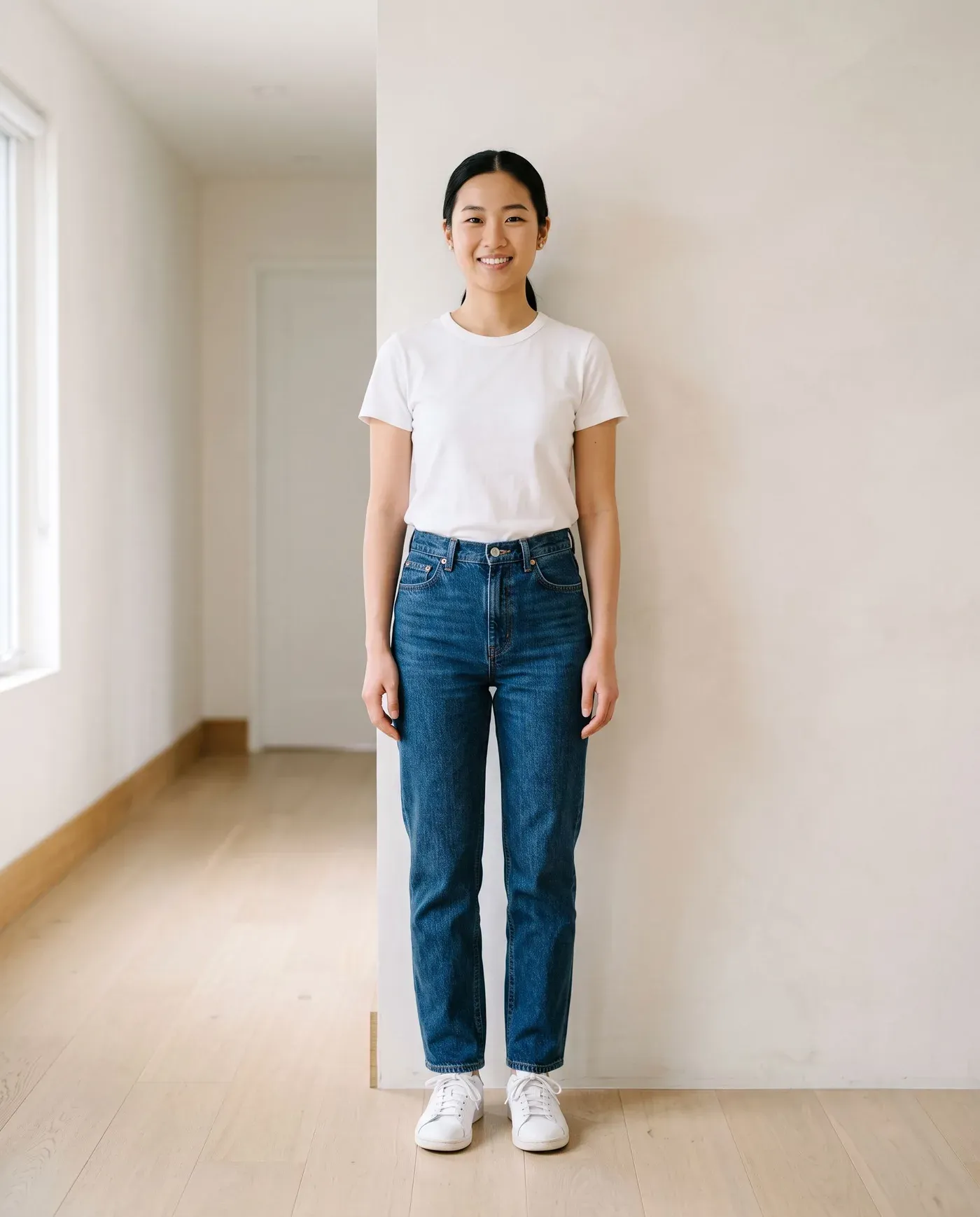
Remember that virtual try-on is a visual preview, not a measurement. Use it to decide whether you like a combination, and check the size guide before buying anything new.
Step 5: Put your outfits on the calendar
Open the Planner and add your saved looks to the days you’ll wear them. Assign the polished outfit to Monday’s meeting, the easy one to Wednesday’s errands and the fun one to Friday night. When the morning comes, the decision is already made. Plans change, of course, so move looks between days whenever you need to. Check the forecast while you plan and keep a backup look for rainy days. If you prefer flexibility, plan only the days that matter most, such as meetings, events and travel, and leave the rest to your mood.
Step 6: Plan a trip and build a packing list
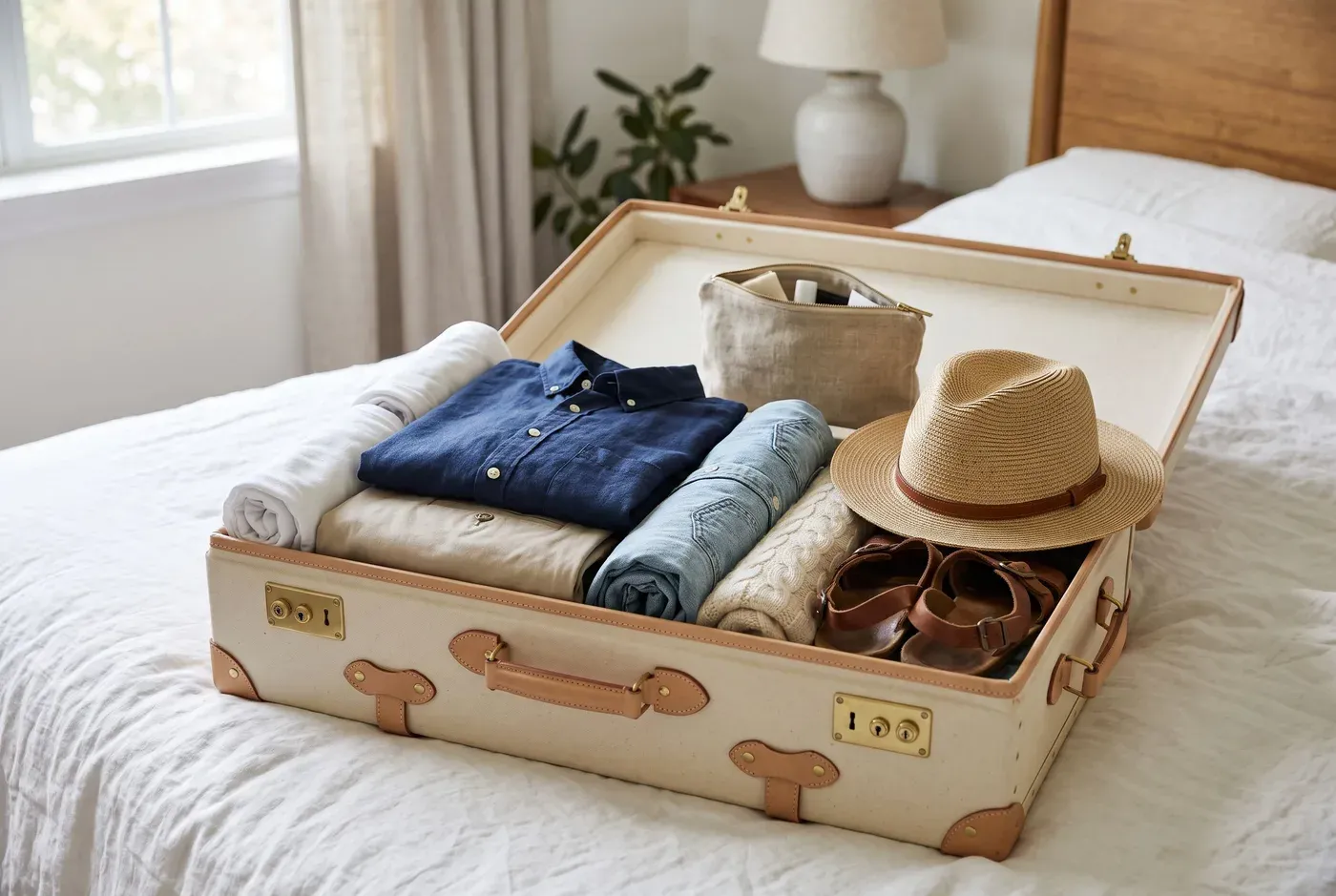
Travel is where outfit planning really pays off. Create a trip in the Planner, add your destination, then plan outfits for each day and turn them into a packing list you can check off. Aim for pieces that mix and match, and ask your stylist for a capsule of three bottoms, four tops and one jacket that all work together. Pack the heaviest shoes and jacket on travel day to save space, and plan one outfit that can be dressed up for an evening out.
Step 7: Log what you wear and review cost per wear
Each time you wear a look, mark it as worn. Over a few weeks, Outfitual shows which pieces you reach for and which ones sit untouched. For items with a price, it also calculates cost per wear, so a $120 coat worn 60 times works out at $2 a wear.
That insight helps you shop smarter, and it matters beyond your budget. According to the U.S. Environmental Protection Agency, landfills received 11.3 million tons of textiles in 2018 (opens in a new tab). Wearing what you own more often is a small, practical way to keep clothes in use.
Example: a week of outfits planned with AI
Here’s what a typical week can look like after a short Sunday session with Outfitual’s AI stylist. Every outfit comes from one small wardrobe:
- Monday, office: navy blazer, cream knit, grey trousers and loafers.
- Tuesday, hybrid day: white oxford shirt, dark jeans and white sneakers.
- Wednesday, after-work drinks: burgundy sweater, black trousers and ankle boots.
- Thursday, errands: grey sweatshirt, olive utility trousers and sneakers.
- Friday, dinner: cream knit, dark jeans, camel coat and suede loafers.
- Weekend: denim shirt, white T-shirt and relaxed chinos.
Notice how the cream knit, dark jeans and loafers appear more than once in different combinations. That’s the real benefit of planning: you wear more of your wardrobe, more often, without feeling repetitive.
5 mistakes to avoid when planning outfits with AI
- Adding everything at once. Start with favorites and grow your wardrobe as you wear things.
- Vague prompts. “Something nice” gets a generic answer. Mention the occasion, weather and vibe.
- Skipping categories and colors. Good data means better suggestions.
- Treating try-on as a fit check. Use it for style decisions, not sizing.
- Forgetting to log wears. The insights only work if you record what you actually wear.
How long does it take? A 10-minute Sunday routine
Setting up your first 15 pieces takes about 20 minutes. After that, a Sunday routine takes around ten: check the week ahead, ask your stylist for ideas, preview anything new and drop your favorites into the calendar. That’s ten minutes to skip seven rushed mornings.
Curious how Outfitual compares with other ways to get style help? Read our guide to the best AI stylist app, or browse this season’s burgundy and brown outfit ideas for inspiration.
Frequently asked questions
Can AI pick my outfits for me?
Yes. An AI stylist such as Outfitual suggests complete outfits from the clothes in your digital wardrobe, based on the occasion, weather and style you describe. You always make the final choice and can ask for alternatives.
Do I need to photograph my whole wardrobe?
No. Start with 10 to 15 pieces you wear often and add more over time. Even a small wardrobe gives an AI stylist enough to create useful combinations.
What is the best app to plan outfits?
Look for an outfit planner app that combines a digital wardrobe, AI outfit suggestions, virtual try-on and a calendar. Outfitual includes all four, plus packing lists and cost-per-wear insights, and it’s free to start on iPhone and Android.
How far ahead should I plan my outfits?
Most people plan one week ahead, usually on Sunday. That covers work, plans and weather without forcing a full rethink if the week shifts. For trips, plan as soon as you know your itinerary.
Does outfit planning with AI work for men?
Yes. Outfit planning works for any wardrobe. Outfitual supports menswear, womenswear and everything in between, and the AI stylist builds looks from whatever pieces you add.
Is my wardrobe private in Outfitual?
Yes. Your wardrobe and photos are private by default. Outfitual asks for permission before AI processing, community sharing is optional, and you can delete your account at any time.
YOUR PERSONAL AI STYLIST
Your wardrobe, reimagined.
Outfitual brings your clothes, an AI stylist, virtual try-on and an outfit planner into one app. Start free today.



About the author
Deniz Güney is the founder of Outfitual and writes about AI styling and digital wardrobes, starting from one everyday question: “What can I wear with what I already own?” Learn about Outfitual.